

To start us off, let’s go into what I’ve been doing so far for this Spyro inspired game I’m making.

So I’ve been trying to focus really hard on just the base building blocks of Spyro . In Spyro, the basic mechanics are breathing fire, charging, jumping and gliding. That’s it. There’s not a lot else going on at the start, though the games do add power ups and different elemental breath weapons after a fashion. The original games also have the flight mechanics, though I’m leaving that out because I was much more of a fan of Spyro Enter The Dragon, over the original trilogy.
Assets for this project: I decided to use MalberS Animations’ Mouse Dragon to start with, as well as Tom Poon’s Stylized Mages to start out with, just to get a feel for the character model sizes and to have some premade animations to pull from. I’m using Synty Studio’s POLYGON Dungeon assets as well as the rest of their fantasy library of assets for environments. I have a problem, and it’s called Unity Asset sales.
So I started out by getting basic movement handled. I’m using Minion’s Arts’ Moving Kat Tutorial Series as the basis, leaving out the IK and climbing movement for now. Her tutorials are amazing and I highly recommend them, especially for her shader posts. I use a her 3rd Person Cam set up as well, using a state driven camera. There are some.. quirks I’ve found – the character likes to drop through the floor if you’ve just loaded the scene and are looking kinda downward with the camera. Still haven’t quite fixed that bug yet, but I have a work around, where I just move the camera to a more neutral position or jump first.
Once basic jumps and movement were implemented, I moved onto getting a basic fireball ability working. I built a little projectile script, bound it to the left mouse button (none of my bindings are rebindable atm, and I mean to move to the newer Input System in the next major update) and used a basic fireball SFX from Synty to get a visual. Making it interact with the enemies was easy enough. I pulled the damageable system from the 3D Game Kit Unity developed use that for health and damaging enemies.
As you’ll know from any Spyro game (not counting the Skylanders titles, to my knowledge) you can use fire or a charge attack to open chests or other breakable objects. Which meant I needed a way for the fireballs to not just damage enemies, but effect the world too.
I first just tried to make the chests work with the damageable component, but that was incredibly limited for what I could or could not do. What if I wanted there to be different elemental breaths? Or different requirements entirely? So I built out an interaction system.
The first piece of this is an InteractRequirement, an enum (as I really do not like string references) that determines what the Interactable needs to activate.
    [System.Serializable]
    public enum InteractRequirement
    {
        None, //For enemies
        Fireball,
        Headbash,
        ChestKey,
        BasicKey,
        BossKey
    }
This then is used where ever something needs to ‘interact’. The most basic use of this is in an InteractOnCollision script.
public class InteractOnCollision : MonoBehaviour
    {
        [SerializeField] LayerMask layersToCollideWith;
        [SerializeField] Interactable interactableToTrigger;

        private void OnTriggerEnter(Collider other)
        {

            if (layersToCollideWith.Contains(other.gameObject))
            {
                var interact = other.gameObject.GetComponent<InteractTriggerObject>();
                if (interact == null) { return; }

                interactableToTrigger.InteractWithObject(interact.GetInteractRequirement());
                interactableToTrigger.SetToTriggered();
            }
        }
    }
(The SetToTriggered() call here is for the saving system)
Using layers, I can then trigger just about anything based on an interaction type and a layer.
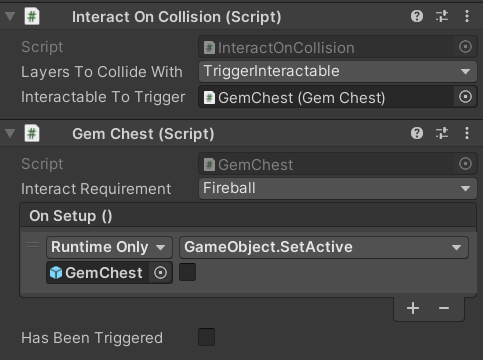
Then it goes down the chain of what I call Interactors, essentially a simplified version of the Actions in the 3D Game Kit, built more to my specifications. There’s debate about the speed of the UnityEvents I use in many of these interactables, but in most cases, these are being run once, and then their state is being saved. Hence the ‘Has Been Triggered’ bool you see above. That bool allows me to set everything to an ‘activated’ state when reloading a save or changing levels. No respawning chests or doors here! Though the enemies can respawn.
The same works for doors, with or without keys. A basic door just has a trigger collider and the InteractRequirement of ‘None’ since all the player needs to do is enter the trigger volume. Keyd doors require either a BasicKey or a BossKey (of varying amounts) which are pulled from the player’s inventory when the player enters the trigger volume. These were a little harder to create, but Doors just inherit from the Interactables script, with an added section for “CheckConditions” which just query’s the player’s inventory for keys.
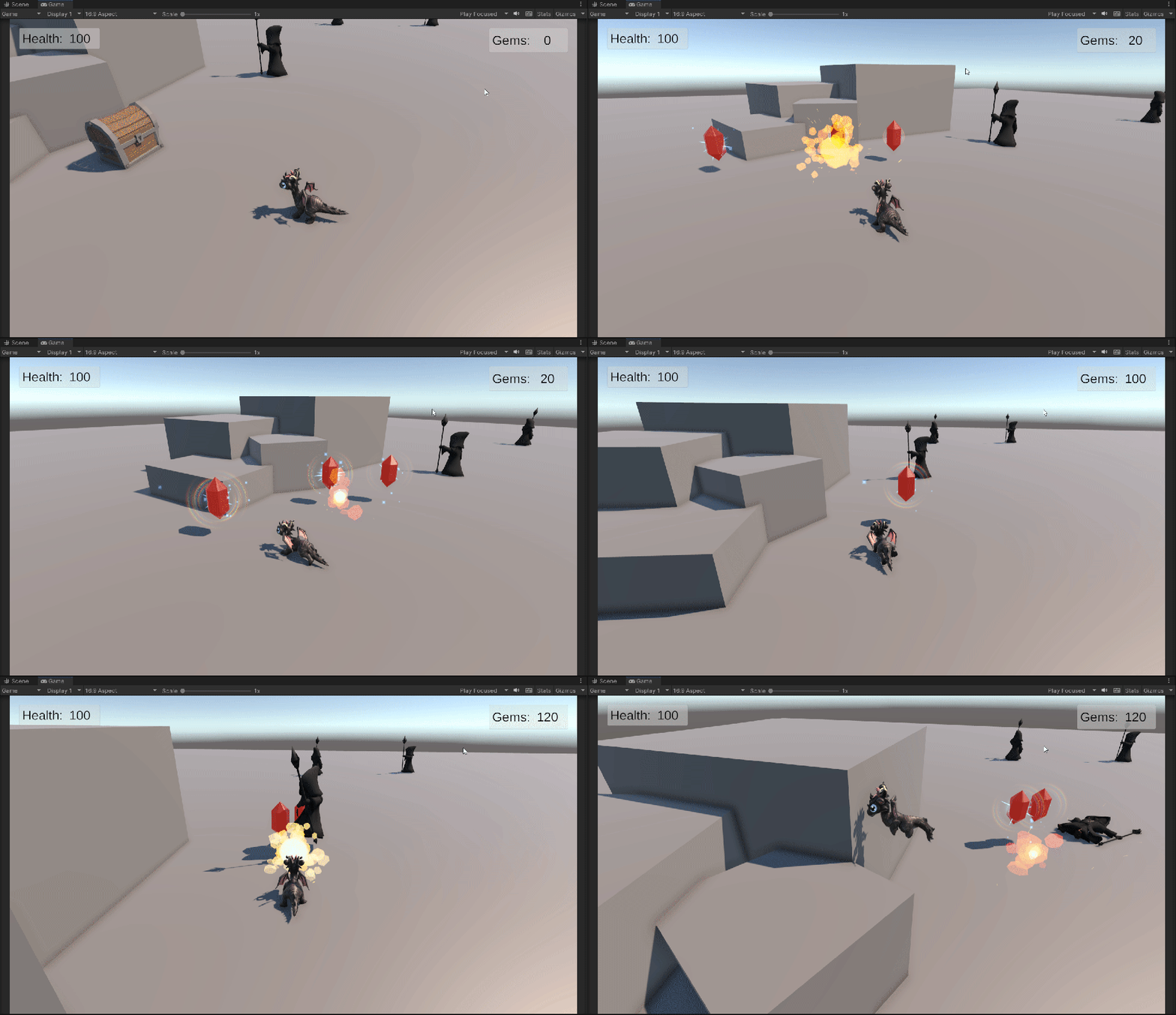
The Inventory and Saving are for another post though, so please enjoy this lovely gif of the basic mechanics working!
Till next time~!
 SerpentWorks Games